I lost my phone that could split screen normally, was looking for an app that could do this on my new one, and this app is perfect, works just like my old phone's split screen feature
Launch Your Favorite App Pairs Instantly
Stop setting up split-screen mode over and over. Save your most-used app combinations and open them with a single tap, giving you more time to focus on what matters.
4.4
Rating
1,000,000+
Downloads

Multitasking Made Effortless
1
One-Tap Saved Combinations
Save your favorite app pairs and launch them instantly whenever you need them. No more wasting time selecting the same two apps every single day.
2
Customized for Every Task
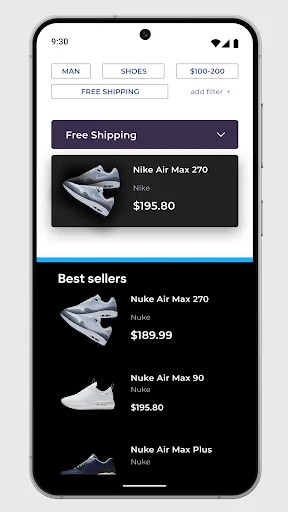
Create different app pairs for different activities. Keep your messaging app visible while browsing, pair your notes with learning videos, or compare documents side by side.
3
Perfect Screen Balance
Adjust the divider to give each app exactly the space it needs. Make one app larger for detailed work or keep both windows balanced for easy comparison.
4
Work Across Two Apps
Compare information, take notes while reading, or keep conversations visible while you browse. Switch seamlessly between split view and full screen as your needs change.
What is Split Screen Launcher?
Open two compatible Android apps in split-screen view and keep both visible while you work. Choose an app pair, save a combination you use often and adjust the divider to give each app the space you need.
Who is Split Screen Launcher for?
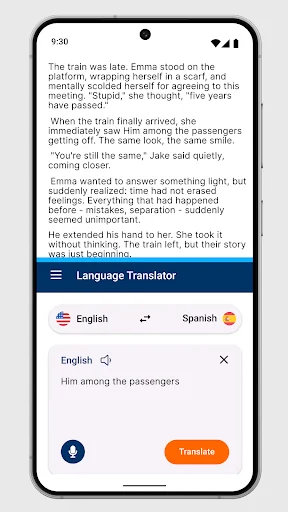
It is for people comparing information, taking notes beside a reference or keeping a conversation visible while browsing. Pair a reader with a translator, review a document alongside email or watch a lesson while writing notes in another app.
Saved app pairs are useful when you return to the same two-app setup regularly instead of choosing each app again.
What does Split Screen Launcher do?
- Launch two selected apps together in split-screen mode on supported devices.
- Customize app pairs for different tasks, such as reading and notetaking or browsing and messaging.
- Save favorite combinations for one-tap access later.
- Adjust the split point to give one app more screen space or keep the views balanced.
- Switch between split-screen and single-app viewing as your task changes.
How does Split Screen Launcher work?
Select the two apps you want to use together and launch the pair. Save combinations you use often so you can reopen them from your saved setup.
Move the divider to adjust the space given to each app. Interact with the view you need, and return to single-app mode when you want a larger workspace.
Compatibility and requirements
Your Android device and the selected apps must support the split-screen setup. Availability, layout and resizing behavior depend on the Android version, device and individual apps. Some apps may not open in split-screen or may behave differently when resized.
Two visible windows do not guarantee that every video, game or background task will keep running at the same time. Each app's playback, focus and resource rules still apply.
The paired apps retain their own account, permission and connection requirements. The launcher contains ads and offers in-app purchases.
Split Screen Launcher keeps your chosen app pairs within reach, making it easier to compare, read and work across two views on a compatible device.
See How Easy Multitasking Can Be
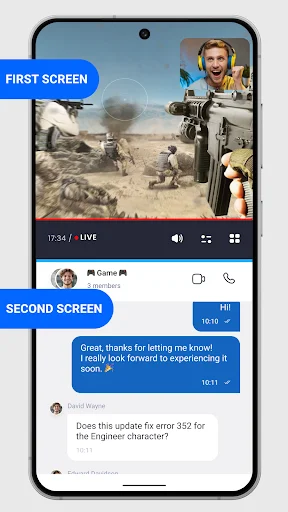
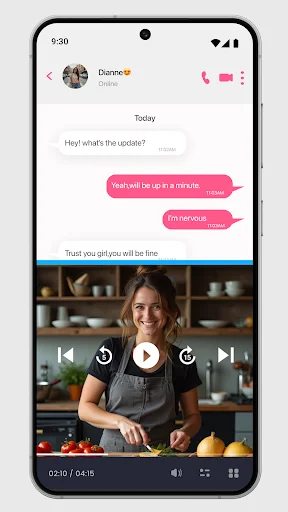
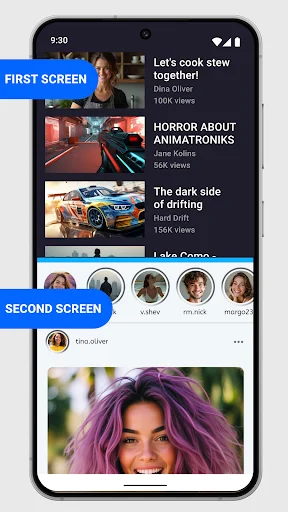
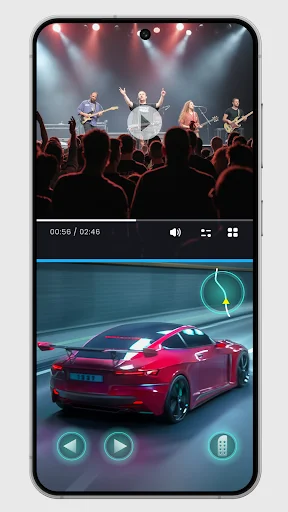
Join Over 1 Million Happy Users
use a low end phone with split screen I get experience of high end phones that come naturally with split screen. great coding keep up the good work Split Screen Launcher
I love it..like it's actually the first split screen launcher that actually works..5 stars to you guys 💯..the ads are also almost non existent.. good job
Works perfectly. I don't think it has any bad intentions either since my phone didn't give any warnings. Also it didn't ask for any permissions.
Great app. works just as intended. not to mention how lightweight it is as well. thanks to developer for this.
ai apss ta khub Valo Ami dekhese khub sondor ata apss ....amr khase khub e Valo lagse ai apss ta