The Cricut Design Space app is a game-changer for craft enthusiasts. Its user-friendly interface and vast library of design elements make it a go-to choice for creating personalized projects. Whether you're a beginner or an experienced crafter, this app empowers your creativity and simplifies the design process.🥎🥎
Create Custom Crafts Without Design Skills
Design personalized labels, mugs, gifts, and DIY projects in minutes. Choose from ready-made templates or start from scratch with easy-to-use tools that bring your creative ideas to life.
4.2
Rating
50,000+
Downloads
Everything You Need for Perfect DIY Projects
1
Templates Made Simple
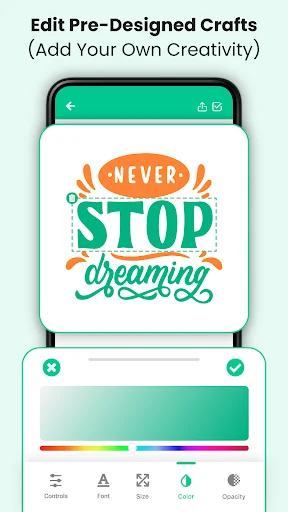
Start with professional templates or a blank canvas and customize every detail. No design experience needed – just pick a style, add your personal touch, and watch your ideas come together in minutes.
2
Cut Machine Ready
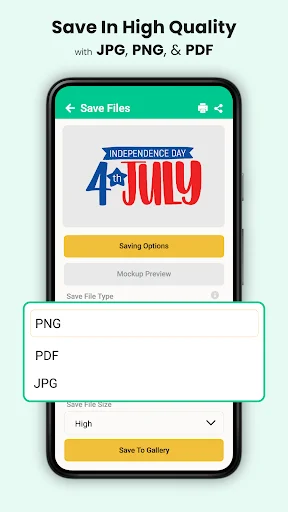
Export your finished designs in SVG, PNG, or JPG formats for seamless use with cutting machines. Create stickers, signs, labels, and decorations that are ready to cut and craft right away.
3
Endless Personalization Options
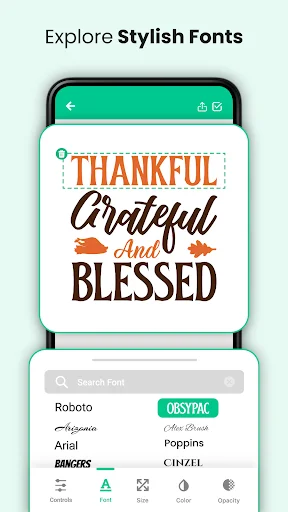
Access hundreds of fonts, monograms, shapes, and stickers to make every project uniquely yours. Design custom labels, mugs, gifts, and decorations that perfectly match your vision and style.
4
Easy Editing Tools
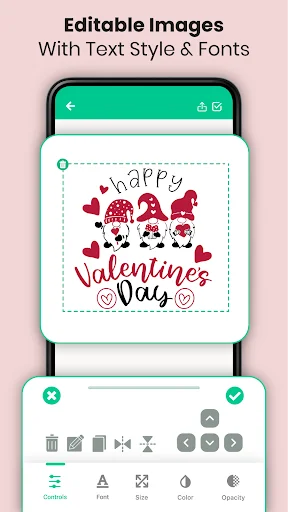
Move, resize, rotate, and adjust every element with simple controls that anyone can master. Get professional-looking results without complicated software – just tap, drag, and create beautiful designs effortlessly.
Cut Design Space For DIY Projects - Create Labels, Crafts, And Custom Artwork!
Cut Design Space For DIY Projects gives you an easy way to create personalized artwork for crafting, printing, labels, mugs, gifts, and other DIY ideas. Explore fonts, shapes, stickers, monograms, and ready-made concepts without needing professional design experience.
Girl Crafts DIY: Mug Design Maker helps you prepare cute artwork for mugs, gifts, and handmade projects. Engraving Design Label App is useful for names, decorative text, and personalized label ideas.
Creative Design Features:
- Print Label Design App - Create custom labels with names, fonts, shapes, and graphics
- Cut Machine Print Designing Apps - Prepare artwork for supported cutting and printing projects
- Art Print: Name Label Maker - Design names, monograms, quotes, and decorative text
- Ad Designer: Art Creation App - Make simple promotional graphics and visual designs
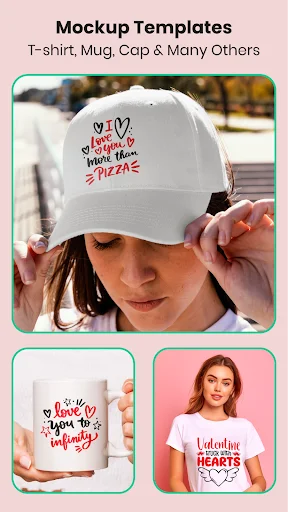
- Girl Crafts DIY: Mug Design Maker - Create personalized mug artwork and gift ideas
- Engraving Design Label App - Prepare decorative layouts for custom items
- Fonts And Monograms - Explore many typography styles for different projects
- Shapes And Stickers - Resize, rotate, and arrange creative elements
Choose a template, customize the details, and turn your idea into a finished design!
Print Label Design App makes it simple to create labels for storage, gifts, handmade items, organization, and decorations. Add text, choose a style, and arrange the elements on your canvas.
Art Print: Name Label Maker is useful when lettering is the main focus. Create names, initials, monograms, or quotes and adjust the layout until it fits your project.
How To Use:
- Open a template or start with a blank canvas
- Add shapes, stickers, text, or available graphics
- Use Girl Crafts DIY: Mug Design Maker for mug artwork
- Choose Engraving Design Label App for personalized labels
- Open Cut Machine Print Designing Apps for craft layouts
- Adjust fonts, size, rotation, spacing, and position
- Save or export your finished project in a supported format
Design For Different DIY Projects:
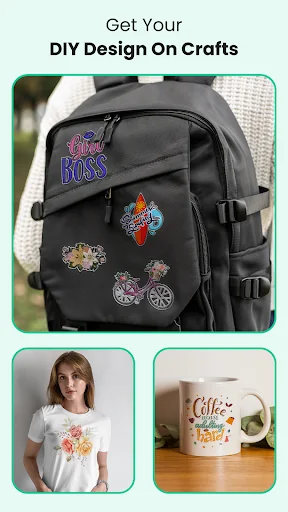
Cut Machine Print Designing Apps can help you prepare artwork for stickers, signs, labels, decorations, gifts, and other craft ideas. Resize or reshape elements to suit the project you have in mind.
Create Personalized Labels:
Engraving Design Label App combines typography and graphic elements for clean custom layouts. Print Label Design App also works well for tags, name labels, organization, and decorative designs.
Mugs, Gifts, And Creative Ideas:
Girl Crafts DIY: Mug Design Maker gives you a simple place to combine fonts, shapes, monograms, and stickers for personalized items. Create something playful, stylish, minimal, or themed for a special occasion.
Flexible Editing Tools:
Art Print: Name Label Maker lets you move, resize, rotate, and adjust elements without complicated software. Ad Designer: Art Creation App can also be used for announcements, promotional visuals, signs, or simple creative posts.
Export Your Work:
Finished projects can be saved in supported formats such as SVG, PNG, or JPG, depending on the design type. This makes it easier to continue using your artwork with compatible tools or future projects.
Turn Simple Ideas Into Custom Designs!
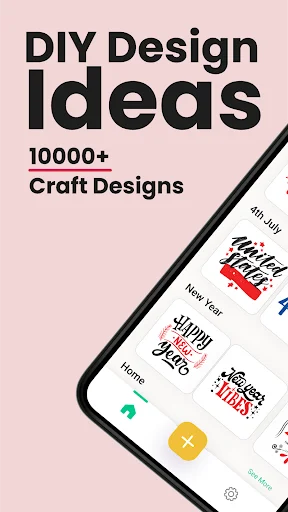
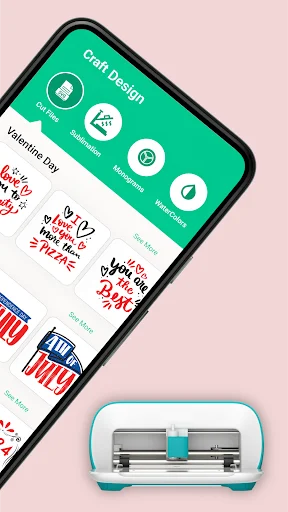
Cut Design Space For DIY Projects brings fonts, monograms, shapes, stickers, editing controls, and export options into one creative workspace.
See Your Creative Vision Come to Life
Loved by Crafters Everywhere
I'm obsessed with the customization options in this app - it's so easy to create unique designs! The fonts and files are also super easy to use.🏏
As a crafter, I appreciate the attention to detail in this app. The cut files and monogram fonts are expertly designed and easy to use.🏏
This app is a crafter's dream come true! The vast library of cut files and monogram fonts is perfect for customizing my projects.🏏
Cut Files, application is very beneficial with stunning monogram and craft design feature. Very helpful for making finest files. Thanks for maker making this outstanding application. ⚡
Craft space cut machine app is very amazing and it's working now so beautiful and recommend to all ✓