The Cricut Design Space app is a game-changer for craft enthusiasts. Its user-friendly interface and vast library of design elements make it a go-to choice for creating personalized projects. Whether you're a beginner or an experienced crafter, this app empowers your creativity and simplifies the design process.🥎🥎
Create Stunning Designs for Your Cutting Machine
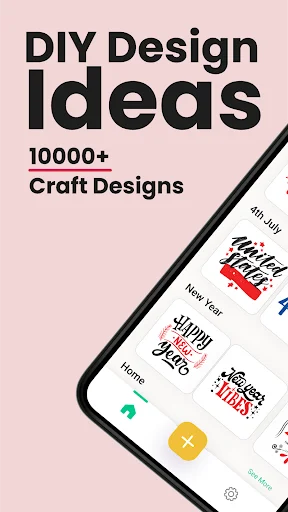
Turn your DIY ideas into reality with 10,000+ fonts, ready-made templates, and easy-to-use tools. No design experience needed to create professional craft projects.
4.2
Rating
50,000+
Downloads
Everything You Need to Craft Like a Pro
1
10,000+ Fonts & Cut Files
Access a massive library of fonts, monograms, shapes, and stickers to bring unlimited creative possibilities to every project. Never run out of fresh design options for your cutting machine creations.
2
No Design Skills Required
Start creating immediately with pre-made templates and project ideas that guide you every step of the way. Save money on professional designers while achieving beautiful, personalized results.
3
Simple Editing Tools
Resize, rotate, and reshape your designs with just a few taps using our user-friendly editor. Spend less time learning complicated software and more time bringing your creative visions to life.
4
Export in Multiple Formats
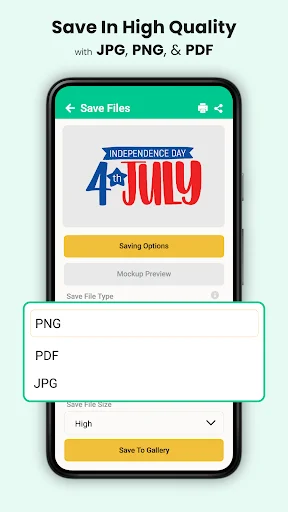
Download your finished designs in SVG, PNG, or JPG formats to work seamlessly with your cutting machine. Compatible with Joy, Explore Air 2, Maker 3, and other popular craft cutters.
The arrival of the Craft designs app for cut machine has made beginning a DIY project very easy for craft designs for space cut machine.
Joy
In the context of cut machines and crafting, "Joy" likely refers to the cut Joy. cut Joy is a compact cutting machine designed for smaller, everyday DIY projects. It's known for its simplicity and ease of use, making it suitable for quick and creative crafting.
Explore Air 2
The Explore Air 2 is a more advanced cutting machine. It offers a wide range of features, including the ability to cut a variety of materials, draw, and write. It's a popular choice for crafters looking for versatility and precision in their projects.
Maker 3
The Maker 3 is one of the most advanced cutting machines in the product line. It's known for its versatility and can handle a wide range of materials, including fabric, leather, and more. It also has unique features like the ability to use Smart Materials for long cuts without a cutting mat. The Maker 3 is a top choice for those who want to take their crafting to the next level.
You may use this Craft design studio space app for cut machine, whenever you want, whether you want to express your imagination visually or explore your creative side in space Designs For Cut machine
In Craft designs app for Cut machine you will be able to discover a single store where you may gather inspiration and work on the designs you want. The Craft maker 3 designs app already-prepared collection of concepts provided by this SVG designs for Craft may end up being your ideal travel companion.
Available for your support 24/7
This Designs Cut machine is immediately available for your support 24/7, so you no longer have to scratch your head over the complexity of the complete design process.
No Need For a Graphic Designer For Your Designing Work
Users of the Cut machine joy may start from the beginning with their DIY creations. You don't have to be a space graphic design for craft to bring the imaginative concepts circling in your head to reality. This Craft cutter app fulfils your demands expertly, so you don't need to hire a designer any more!
Easy to Use
The Designs for Cut machine is simple to use for everyone, even those who aren't designers, thanks to Craft maker designs app of its user-friendly interface and easy accessibility.
Use Multiple Designing Tools
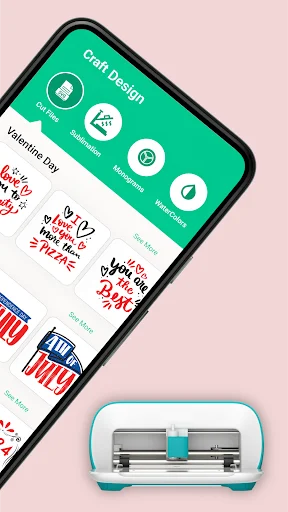
Our Designs craft maker 3 has a tonne of tools at its disposal to support users in producing works of art. Numerous design concepts, cut files, shapes, stickers, fonts and monograms for Craft are included in its crammed collection.
Features Of craft designs studio space app
- Many different project suggestions, including cut files and monograms for Craft.
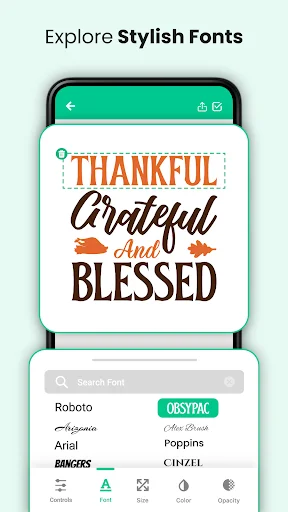
- A collection of traditional font types and concepts to assist you in designing striking do-it-yourself projects.
- A remarkable variety of shapes and stickers to add charm to the projects.
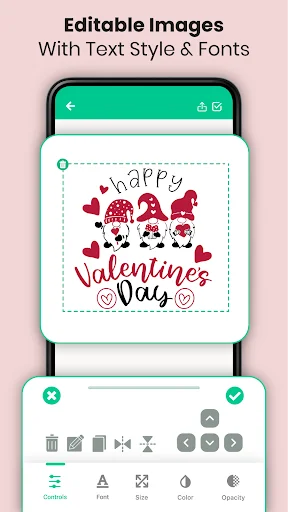
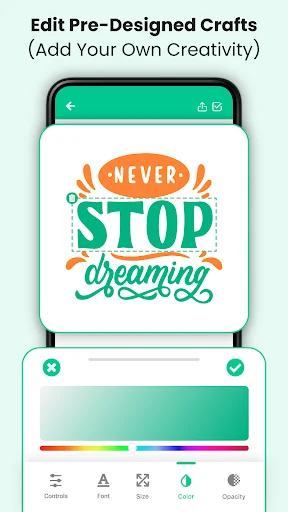
- Easy-to-use editor features that let you resize, reshape, rotate, and alter other aspects of your design work.
- You may download projects in a variety of formats, including SVG, PNG, and JPG.
- 10000+ Fonts for craft designs in this app with new style
Required Less Time and Effort
With the designs for craft app, designing and producing artwork doesn't need much time and effort. Users may quickly build whatever they want because to the pre-made materials, which automate the process for them.
Hence Your Creative Skill
Consequently, you may rely on this SVG designs for Craft and get your hands on unexpected outcomes whether you want to produce traditional images or add a unique touch to your ideas. Download Craft Designs app right away to get started on your DIY projects without consulting a professional!
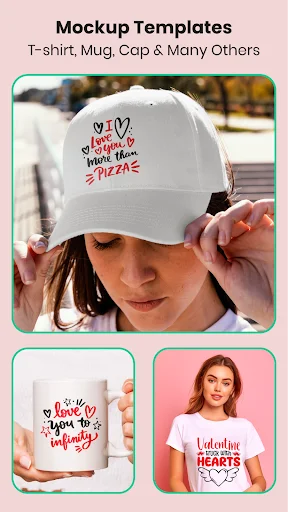
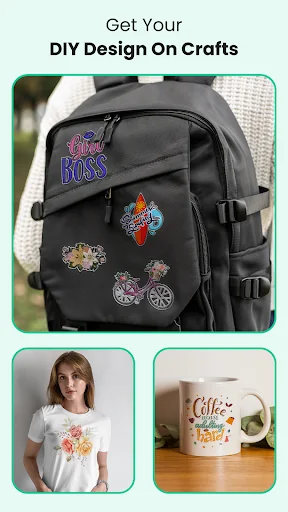
See Your Ideas Transform Into Beautiful Designs
Join Thousands of Happy Crafters
I'm obsessed with the customization options in this app - it's so easy to create unique designs! The fonts and files are also super easy to use.🏏
As a crafter, I appreciate the attention to detail in this app. The cut files and monogram fonts are expertly designed and easy to use.🏏
This app is a crafter's dream come true! The vast library of cut files and monogram fonts is perfect for customizing my projects.🏏
Cut Files, application is very beneficial with stunning monogram and craft design feature. Very helpful for making finest files. Thanks for maker making this outstanding application. ⚡
A huge variety of designs available for crafting cricut graphics. Almost all categories of businesses and personal needs are available in this app. Just a suggestion to add Nature category. Thanks